
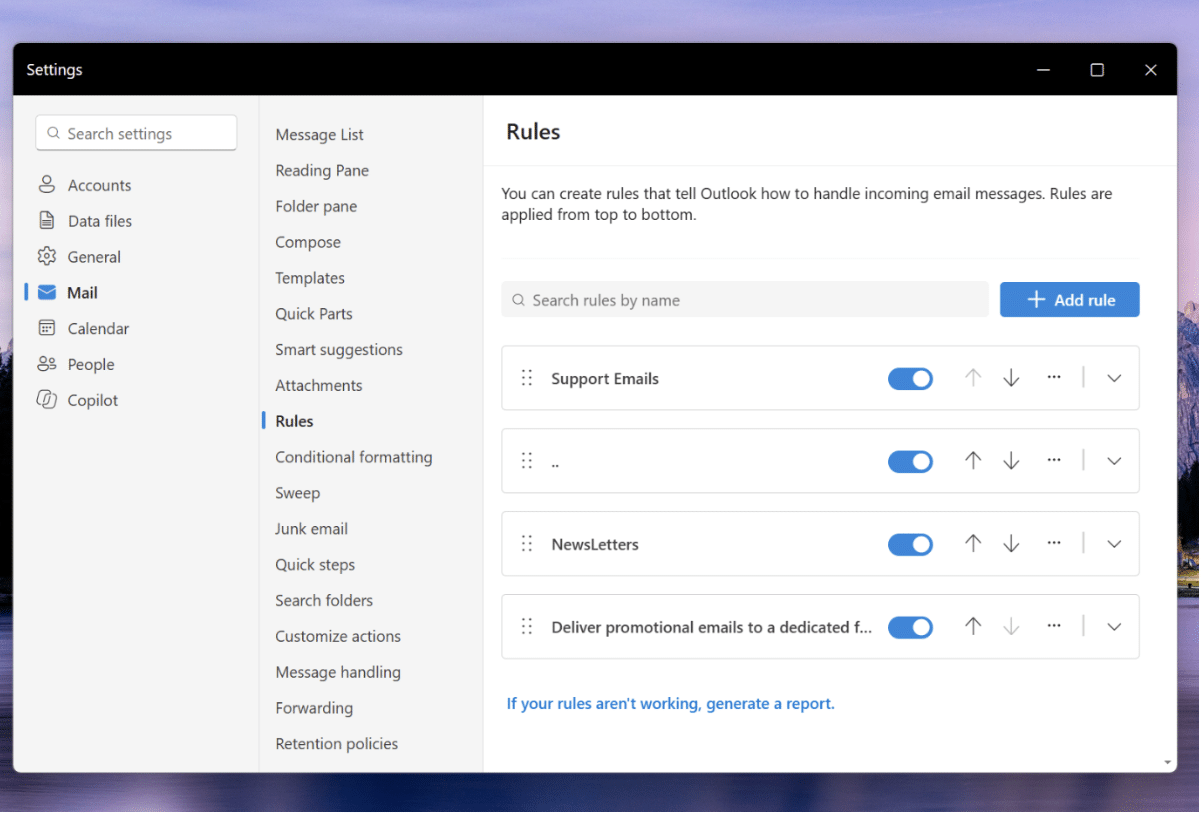
Most people assume they'd notice. Strange emails, locked accounts, something obvious.
Usually there's nothing to see. More often than not, the first sign is a phone call from a customer or supplier: "We got an odd email from you. Was that really you?"
By then, the attacker may have been inside for days or weeks.
They rarely guess your password. More often it's a convincing fake Microsoft sign-in page that captures your password and your login session in one go. Even with MFA turned on, they're in.
Once inside, a common move is to set up inbox rules that quietly:
• Move replies into folders you never check
• Mark messages as read
• Delete anything that could give them away
• Forward emails about invoices and payments to an outside address
Your inbox looks normal. Meanwhile, they're reading your conversations and emailing your customers and suppliers as you.
It's not a small problem. The FBI's latest report puts reported business email compromise losses at over US$3 billion in 2025.
Three things to check today:
• Look through your Outlook rules for anything you didn't create, especially ones with odd names like "." or "rule"
• Check whether your mail is being forwarded somewhere unexpected
• Check your sign-in methods at mysignins.microsoft.com for a phone or authenticator app you don't recognise
Changing your password isn't enough on its own. The attacker's session needs to be shut down, any sign-in methods they added removed, and the mailbox checked for rules and forwarding.
Some rules can even be hidden from Outlook, which is why an admin-level check matters.
Not sure what's hiding in your mailbox? If you're an Auckland business and would like us to review your Microsoft 365 setup, send me a message.
Know someone who relies on email to run their business? Share this post with them.